
Everything Included in the Beanstalk Event Update in Grow a Garden (Full Guide)
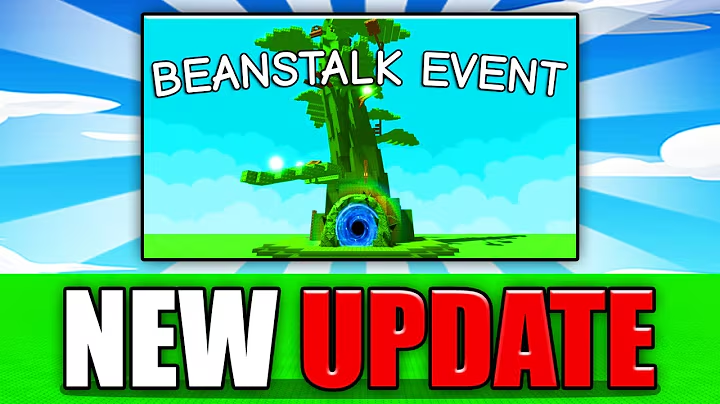
Beanstalk Event in Grow a Garden Roblox
The Beanstalk Event is one of the most exciting updates ever added to Grow a Garden Roblox, bringing new mechanics, rewards, and a long-awaited Garden Guide feature.
In this guide, we’ll cover how the event works, everything it includes, and tips to get the most out of it.
Overview
- Event Name: Beanstalk Event
- Event Date: August 16
- Theme: Fairy tale-inspired (“Jack and the Beanstalk”)
- Main Goal: Grow and climb a giant Beanstalk to reach the Giants in the Sky.
- New Features:
- Garden Guide index
- Fertilizer mechanic
- Possible new shop items like Pet Pack & fence skins
- Limited-Time Event – Rewards may become unobtainable once the event ends.
If you’re also participating in other events, check our How to Start Kitchen Storm Event in Grow a Garden + Rewards Guide to make sure you’re not missing out on overlapping content.
How the Beanstalk Event Works
-
Convert Fruits into Fertilizer
- All players in a server can donate fruits to produce fertilizer.
-
Grow the Giant Beanstalk
- Fertilizer contributes to making the Beanstalk taller.
-
Climb to the Giants in the Sky
- Jump across platforms in an obby-style climb.
- Reach the top to meet the Giants.
-
Receive Unique Rewards
- Giants give out event-exclusive pets, seeds, and other rewards.
If you’re aiming for huge crops to show off at the top of the Beanstalk, our How to Grow HUGE Plants in Grow a Garden guide can help.
Event Rewards
During the Beanstalk Event, you can unlock:
- New Seeds – Unique plant varieties tied to the event theme.
- Exclusive Pets – Not available outside of the event.
- Cosmetic & Utility Items – Could include themed decorations.
- Weather Effects – Possible new weather types as event bonuses.
- Garden Guide Progress – Permanent progress toward collections and achievements.
Garden Guide Feature
One of the biggest permanent additions from this update is the Garden Guide.
What It Does:
- Tracks all plants, pets, and items you’ve collected.
- Shows progress toward achievements.
- Allows you to level up your garden by completing collections.
This feature is similar to a Pokédex for Grow a Garden, helping you keep track of everything you’ve obtained.
New Shop Items & Cosmetics
Alongside the Beanstalk Event, the update introduces new customization and inventory solutions:
- Pet Pack (Pet Pouch) – Likely allows extra pet inventory space.
If you’re farming rare pets during events, see our All New Pets in Grow a Garden Kitchen Storm Update. - Fence Skins – Customize your garden fence with different designs.
- Potential Fertilizer Item – May be used in future events or gardening activities.
Thematic Elements
- Fairy Tale Theme – Inspired by “Jack and the Beanstalk.”
- Possible themed pets and plants:
- Elves, witches, unicorns, or other magical creatures.
- Rare magical crops beyond the standard Beanstalk.
Tips for the Beanstalk Event

Alt text: Roblox player climbing platforms in the Beanstalk Event in Grow a Garden.
- Work with Your Server – The Beanstalk grows faster when everyone contributes fertilizer.
- Bring Mobility Pets – Pets that improve movement or climbing will help with the obby sections.
- Plan Your Fertilizer Donations – Save high-value fruits for when you have more time to climb and claim rewards.
- Target Event Pets First – They may not return after the event ends.
Long-Term Value
While the Beanstalk Event itself is limited, the Garden Guide feature is permanent. Completing your collections during the event will give you a head start for future updates.
For example, if the event introduces high-value plants, you can boost them with methods from our How to Get Friendbound Mutation in Grow a Garden (70× Crop Boost) guide.
FAQ – Beanstalk Event in Grow a Garden
Q: How do I start the Beanstalk Event?
A: Donate fruits to produce fertilizer in your server, then climb the Beanstalk when it grows.
Q: What rewards can I get?
A: New seeds, exclusive pets, weather effects, and Garden Guide progress.
Q: Is the Garden Guide permanent?
A: Yes, it stays in the game after the event ends.
Q: Will the Beanstalk Event return?
A: Not confirmed. Many rewards may remain exclusive.
Related Guides